
How to Copy Mirror Columns to Regular Columns in monday.com
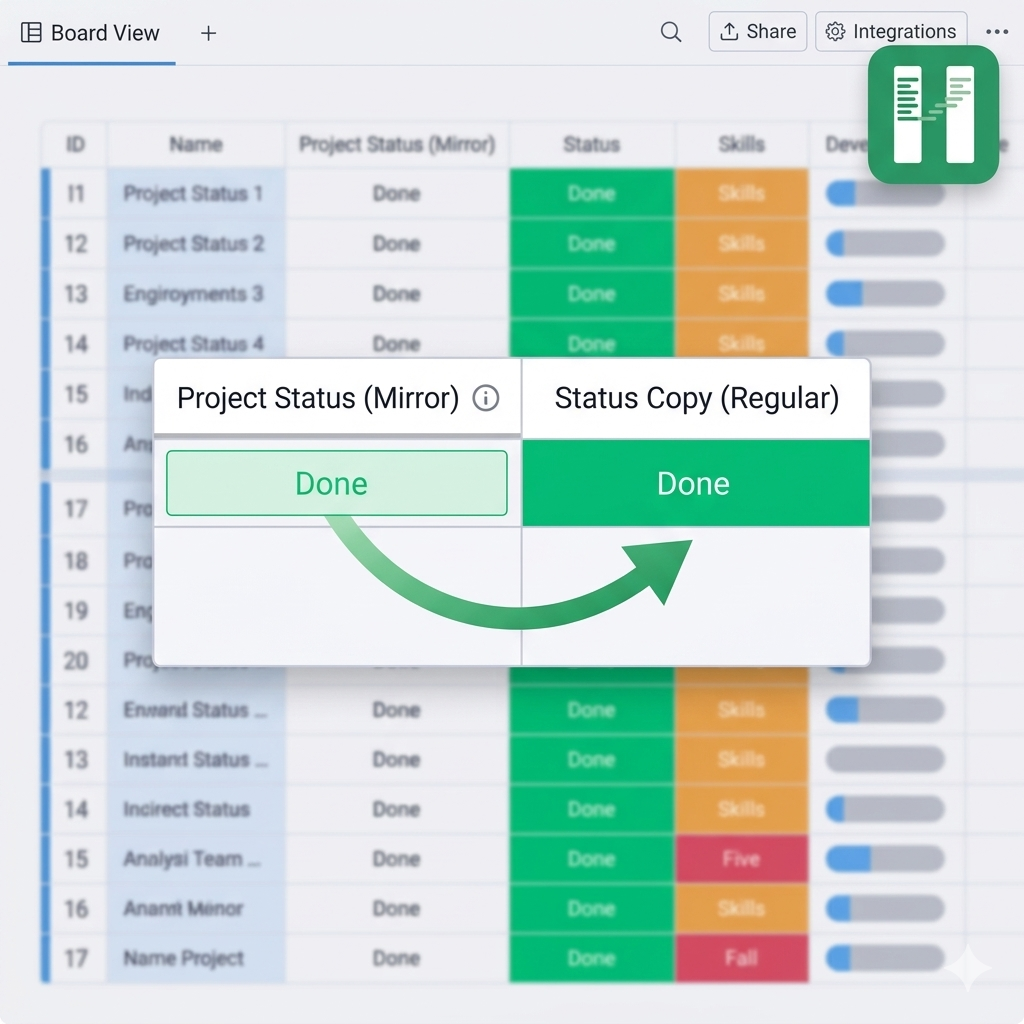
You can't copy a mirror column into a regular column in monday.com using native features. Here's how to fix it.
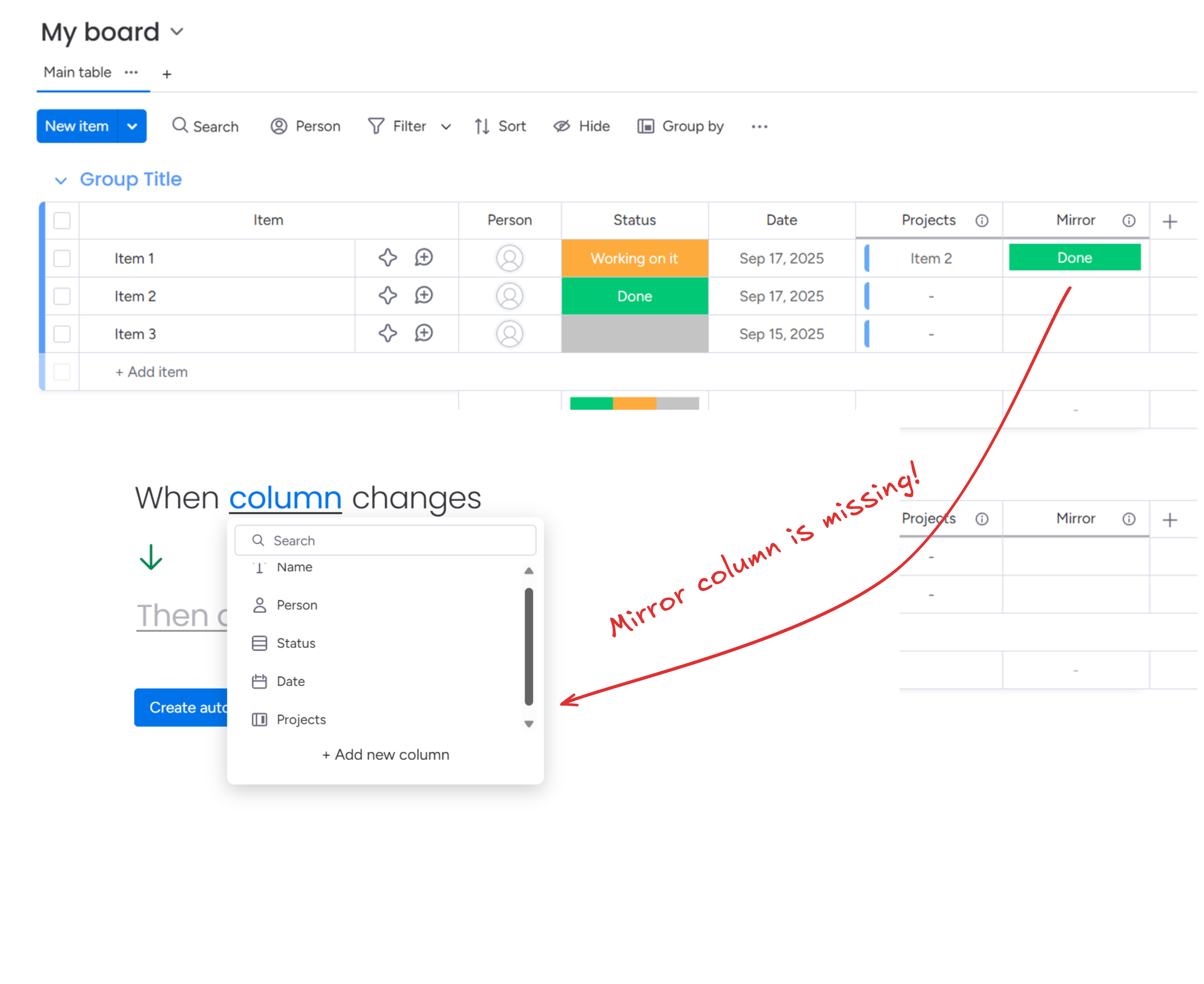
Mirror columns are one of the most powerful parts of monday.com - they let you pull data from connected boards directly into the board you're working on. But they come with a major catch: the values are read-only. You can see them, but you can't use them in automations, and you can't report on them like regular columns.
Column to Column removes that limitation. It watches your mirror columns for changes and automatically copies their values into regular columns - keeping everything in sync without you having to think about it.
Why Mirror Columns Don't Work Natively for Automations
Before getting into the solution, it's worth understanding why this is a problem in the first place.
Mirror columns reflect values from items on other boards. monday.com treats them as a live view, not stored data. Because of that:
- They don't trigger automations. You can't use "when mirror column changes" as a trigger in native monday.com automations.
- They can't be used as automation inputs. Conditions like "when mirror equals X" simply don't exist for mirror columns.
- They can't be edited or overwritten. The value lives on the source board, not here.
This is a real limitation, not a missing feature that's coming soon. It's architectural. monday.com designed mirror columns as references, not data fields.
The Workaround Everyone Tries (and Why It Fails)
Most people hit this limitation and try one of a few workarounds:
Manual copying - copy the value by hand when it changes. Works for tiny boards, breaks down immediately at any scale.
Formula columns - you can reference a mirror column in a formula, and it does work. But the resulting formula column still can't be used in native automations - which is often the whole point. You've added a step without solving the underlying problem.
Zapier / Make automations - you can catch mirror changes via third-party tools, but it requires extra setup, adds latency, and doesn't work if mirror column uses formula columns. You're also paying for more automation tasks.
None of these give you what you actually want: a regular column that always reflects the current mirror value.
How Column to Column Solves This
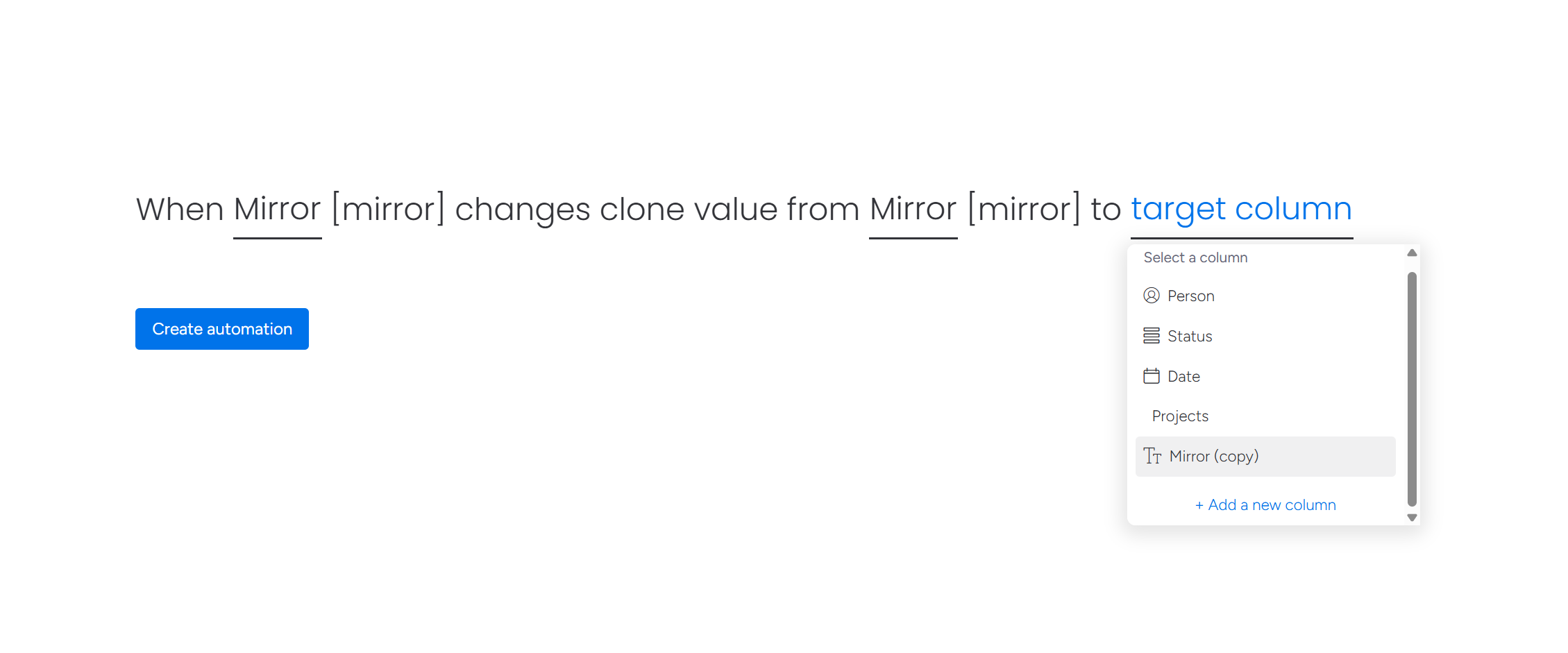
Column to Column adds a "when mirror column changes" trigger to your monday.com automations. You pick the mirror column as the source, pick any regular column as the destination, and that's it. Whenever the mirror updates - whether the source item changed, the board connection changed, or the underlying column changed - Column to Column copies the new value over.
The key difference: this is continuous sync, not a one-time copy. The destination column stays updated automatically. You don't need to remember to run anything, and you don't need a chain of automations to keep things aligned.
What Makes It More Than a Simple Copy
A naive mirror-to-column sync would cover the basics, but Column to Column handles several scenarios that come up in real workflows:
Multi-level mirroring
If your mirror column is mirroring another mirror column on the source board, Column to Column handles the chain. It sets up webhooks at each level so changes propagate through correctly. Infinite nesting levels are supported.
One item connected to many
When a connect column links one item to multiple items on another board, the mirror column shows a combined value. Column to Column handles these one-to-many relationships - the destination column gets the full aggregated value, the same way you see it in the mirror.
Subitem mirrors
This one is particularly useful. If you have subitems on a board and you want to mirror subitem data up to the parent item's columns, Column to Column supports that. You can copy mirrored subitem columns to regular columns on the parent - something that's otherwise very difficult to achieve in monday.com.
Transformations
The mirror might be a phone number, but you want it in a text column. Or it's a date, and you need it somewhere else. Column to Column supports transformations across column types, so you're not limited to copying into the exact same column type.
See the full supported transformations matrix for all supported column type combinations.
Real-World Use Cases
CRM pipeline reporting - You have a Deals board connected to a Contacts board. The deal value is mirrored from the contact's record. To use deal values in dashboard widgets or automation conditions, you copy the mirror into a Numbers column. Now it works like any other number.
Cross-board status sync - A project board pulls status from a team capacity board via a mirror. You want automations to fire when that status changes. Copy the mirror to a Status column, and native automations take over from there.
Rollup visibility - Subitems have hours tracked. The parent item has a mirror that shows total hours. Copy that mirror to a Number column on the parent so you can use it in formulas and dashboard metrics.
Compliance and audit trails - You need a point-in-time record of a mirrored value. Mirrors always show the current value, but copying to a regular column lets you lock in a snapshot when needed.
Best Way to Copy Mirror Columns in monday.com
The most reliable method is using Column to Column because it syncs data continuously instead of relying on fragile automations or manual processes. Other approaches either require you to re-run them when data changes, or they don't handle complex cases like nested mirrors and subitems at all.
How to Set It Up
- Install Column to Column from the monday.com marketplace (it needs to be installed on the current board and on every board that's being mirrored)
- Create a destination column - whatever type makes sense for the mirrored data (Text, Numbers, Status, etc.)
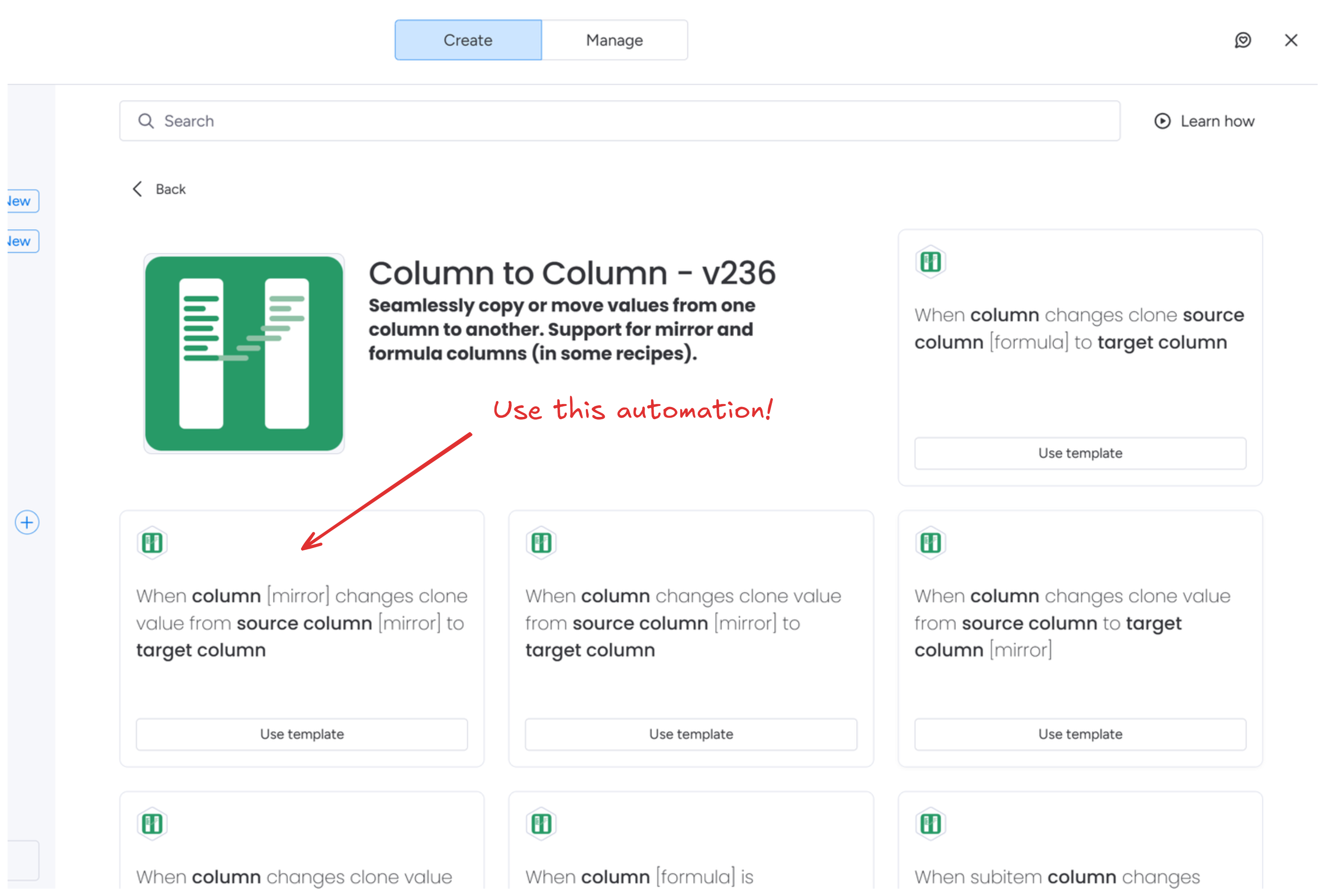
- Open automations and find the Column to Column recipes
- Select "When mirror column changes" as the trigger
- Pick your mirror column as the source and your new column as the destination
- Save - Column to Column will set up the necessary webhooks automatically
That's it. The first sync happens when the mirror next changes.
Edge Cases and What to Know
Webhook setup on connected boards - The app creates webhooks not just on your current board, but on every board that's being mirrored. This is what makes the sync reliable. It also means the app needs to be installed on those boards with permission to create and remove webhooks.
When the connection changes - If you update your connect column to point to a different column on the source board, or if someone changes the source column itself, the automation needs to be recreated. The app can't automatically detect structural changes like this - it's a limitation worth knowing upfront.
High-activity boards - Each change to a mirrored column triggers a webhook. On boards with hundreds of items changing frequently, you'll generate substantial webhook traffic. This is usually fine, but if you're running very large-scale setups, it's worth being aware of.
Getting Started
Column to Column is available in the monday.com marketplace. After installing, you'll find the mirror automation recipes in your automations center.
For detailed setup instructions, see the mirror column documentation or reach out to us if you have a specific setup in mind.
Related
- Trigger automations when mirror columns change - use mirror changes to fire notifications, status updates, and more
- Trigger automations from formula columns - same approach for formulas instead of mirrors